
Serve more, stress less
Customers order from their phone, you just cook.
Skip the queue chaos. Online ordering means clearer orders, faster service, and no fumbling with cash while you're cooking.
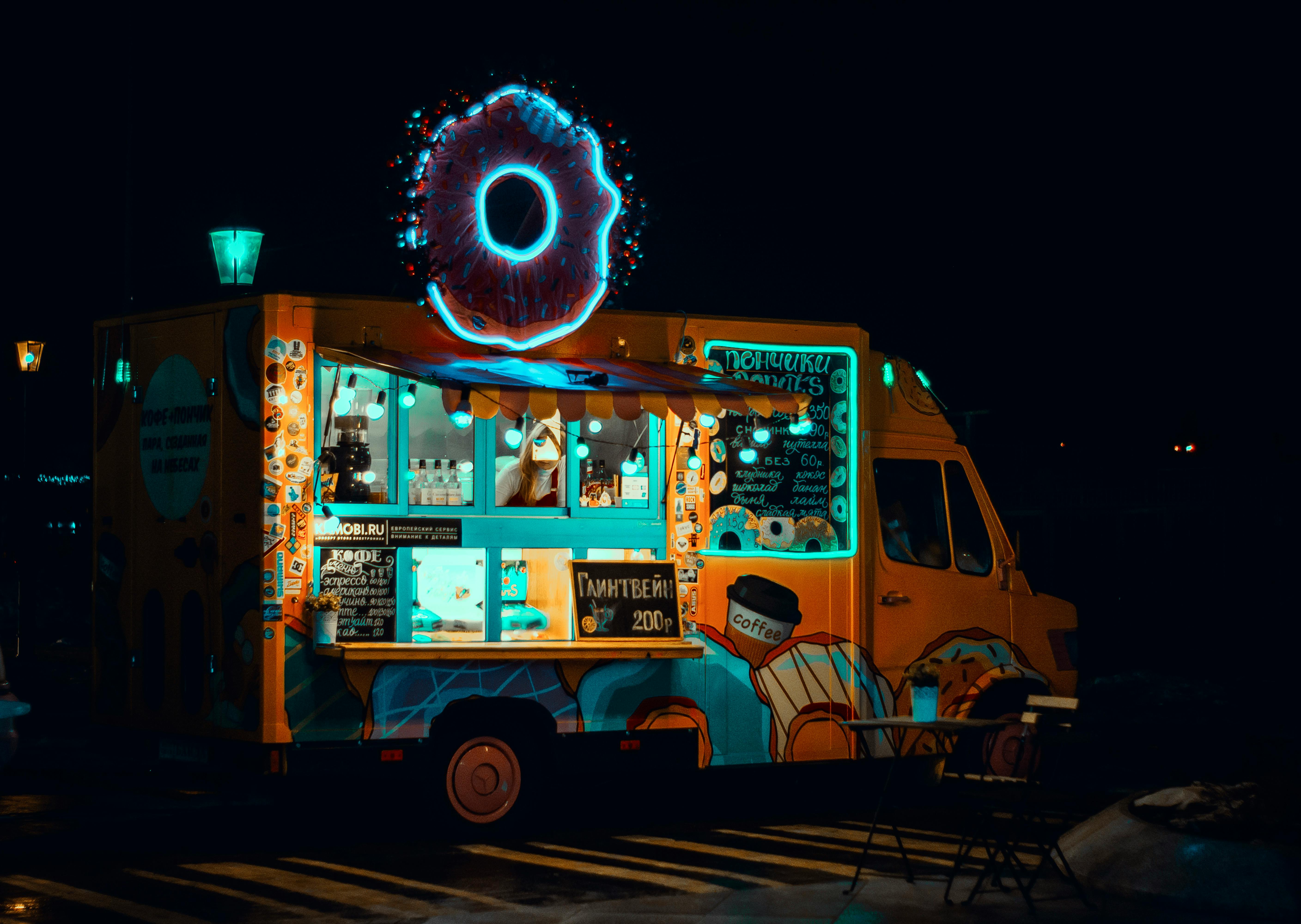
Small team, big queues
You're cooking, taking orders, handling payments, and trying not to let anyone wait too long. Something always gives.
Customers waiting
Events get busy. Lunch rush hits hard. People see a long line and walk to the next truck. Sales lost to impatience.
Change and card machines
Counting change with greasy hands. Card reader loses signal. Float runs out. Every transaction takes longer than it should.
What did they want again?
Shouted orders get lost. Was that no onions or extra onions? With music, crowds, and cooking noise, mistakes happen.
You've got limited space and limited hands. Let customers order themselves.
QR code, phone, done
Customers scan, order, pay. You see what to make. They collect when it's ready. No queue at the window.
QR code ordering
Stick a QR code on your truck. Customers scan and order from their phone while they wait, or before they even arrive.
Paid upfront
Payments go straight to your account via Stripe or Square. No cash handling, no card machine issues, no chasing payment at collection.
Clear order list
Orders display on your phone or tablet. Clear details, correct customisations, no shouting over the grill.
Turn on/off instantly
Pause ordering when you're slammed. Update the menu between locations. Control everything from your phone.
Built for the way a truck actually trades
Not a stripped-back order form. The details that keep the window moving in tight space with two pairs of hands — and turn a one-off lunch into a regular who follows you around.
Order ahead, walk straight up
Take orders for now or for later. Customers pick a collection time in 15-minute slots, up to 30 days out, so the office crowd orders before they leave and collects at the window without joining the queue.
Build-your-own, right first time
Add unlimited modifiers to any item — extra toppings, swaps, sauce on the side, spice levels, build-your-own boxes. The order arrives exactly as the customer built it, so there's nothing to shout over the grill.
"Your food's ready" by text
Automatic email and SMS confirm the order and ping the customer the moment it's ready to collect. No crowd hovering at the hatch, no names called out twice over the music.
Sell out without overselling
Put stock counts on the day's prep. When the brisket's gone it drops off your storefront automatically — so you never take money for a dish you've run out of, and the queue sees what's actually available.
Regulars who follow you pitch to pitch
Run automatic deals — a first-order discount, a free side on every fifth order, a quiet-afternoon offer. Set the rules once and they apply themselves at checkout, with no codes to type.
Runs on the phone in your pocket
Everything runs in the browser — your order screen and the customer's storefront alike. No till, no card terminal, no extra kit to power in a small space; any phone or tablet you already own does the job.
Looks like your truck, not a template
Your storefront should feel like walking up to your hatch. Set it up to match in minutes — no designer required.
- A theme made for fast serviceStart from the Quick Service design — one of six built-in storefront presets — then make it your own.
- Your fonts, your coloursChoose from 14 curated font pairings and set your own brand colours, so the storefront matches your truck's wrap and signage.
- Your own web addressRun it on order.yourtruck.com, or our free subdomain. One link for the QR sticker on the hatch, your socials and the chalkboard.
- Lay it out your wayShow a short menu as a tight list or image cards, and pin the cart to a sidebar or slide-out — so a few taps gets the order in from a phone.
The Smokehouse Truck
Order ahead • Collection
Live in three simple steps
Get your restaurant online in under an hour. No technical skills required.
Build your menu
Add your dishes, set prices, upload photos. Our editor makes it easy to showcase your food beautifully.
Configure settings
Set your opening hours, delivery zones, and payment options. Customise everything to match your business.
Start selling
Share your ordering link and start receiving orders. Manage everything from your dashboard or mobile.
Built for mobile operations
Simple ordering, instant payments, and easy menu updates—everything works from your phone.
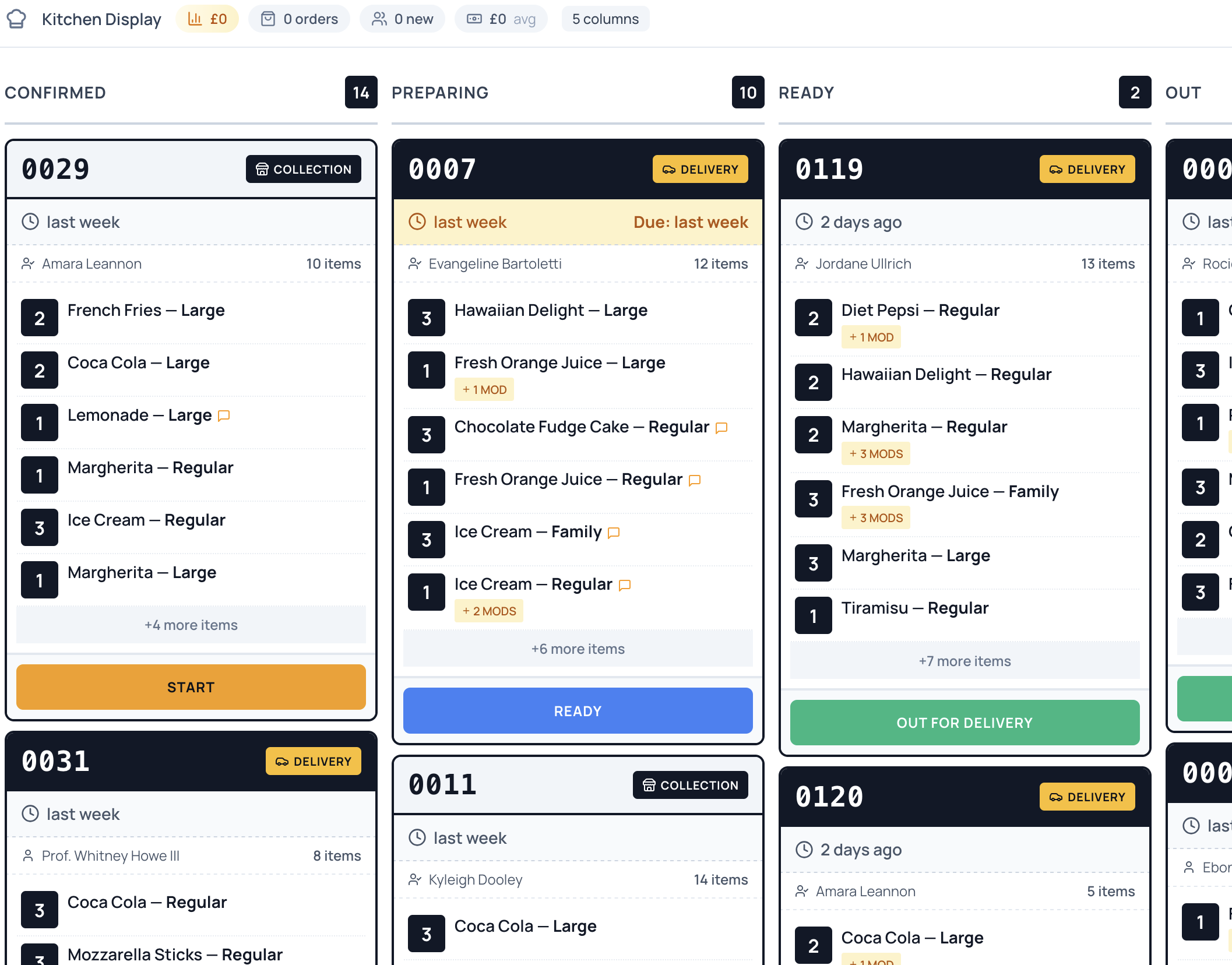
Order Management
Every order lands on one live screen with the full details — nothing shouted over the grill, nothing lost in the noise. Mark each one preparing, ready and collected as you work.
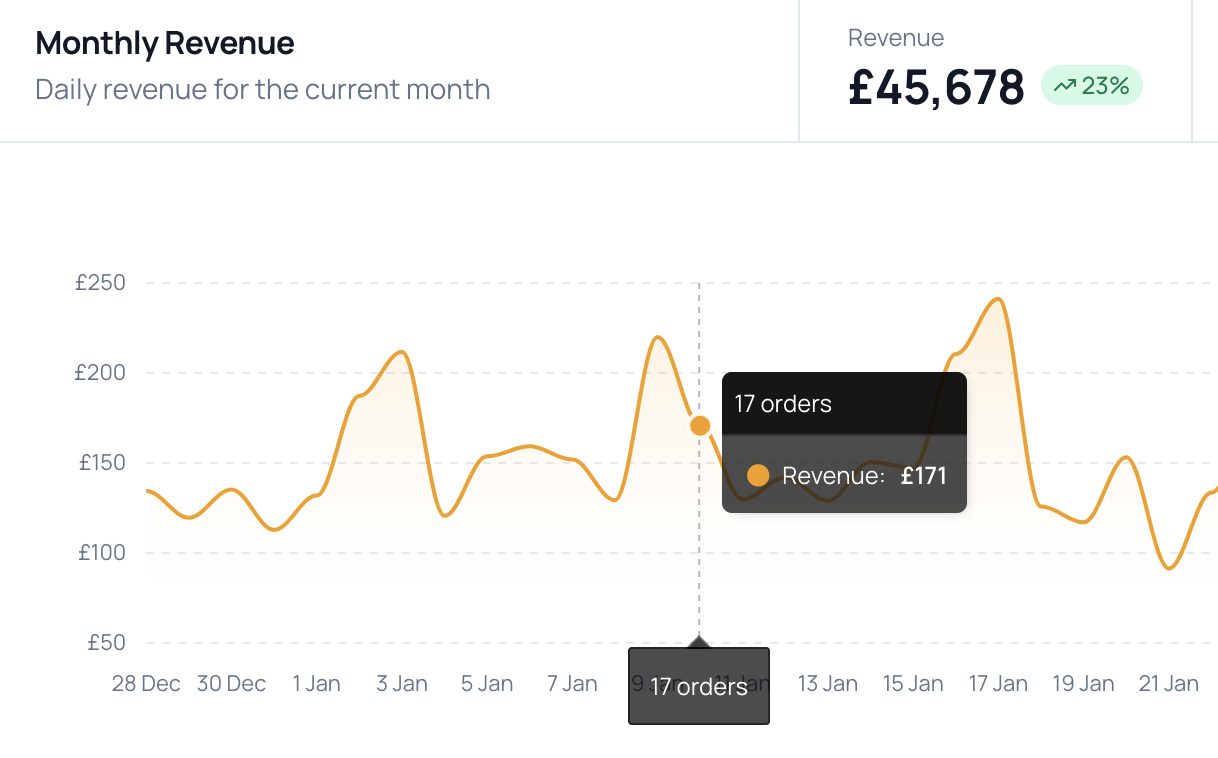
Payment Processing
Customers pay upfront — card, Apple Pay and Google Pay through Stripe with zero commission, or through Square if that's your till. Funds land in your account and there's no cash to handle at the hatch.
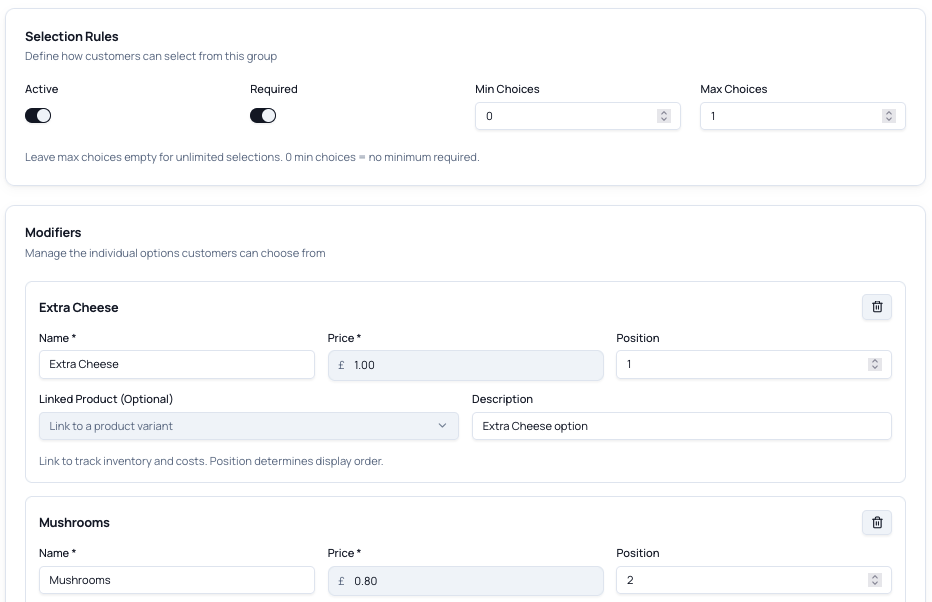
Modifiers & Variants
Extra cheese, no onions, sauce on the side, spice levels, build-your-own — add unlimited options to any item so the order comes through exactly right the first time.
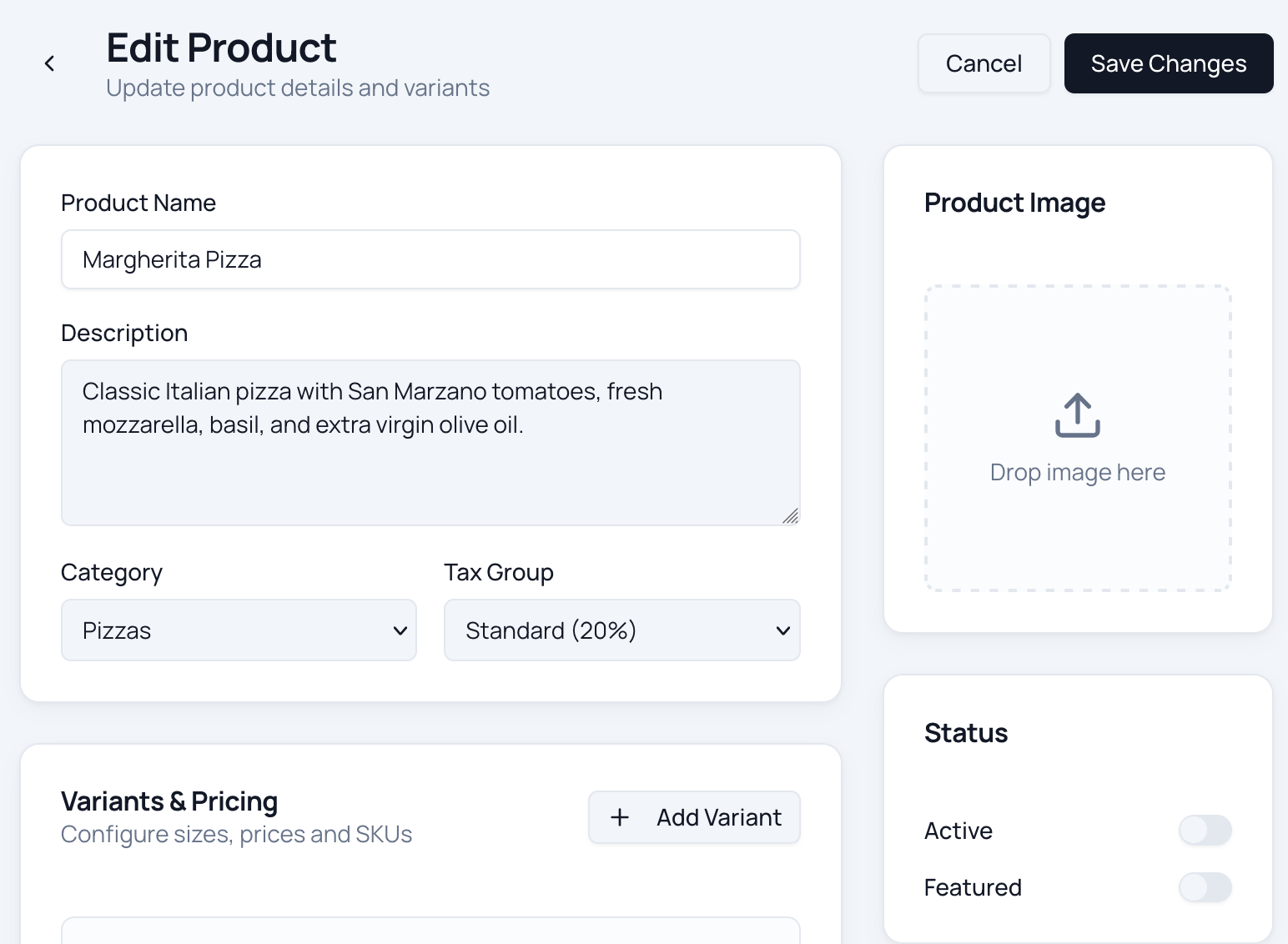
Menu Management
Update prices, hide a sold-out special, or swap the whole menu between pitches from your phone in seconds — changes go live on your storefront straight away.
Ready to take control of your
online ordering?
Join restaurants saving thousands in commission fees. Set up your ordering platform in under an hour — no technical skills required.
Common questions
How do customers order — do they need to download an app?
No app. Stick a QR code on the truck and customers scan it with their phone camera to open your storefront in the browser. They order and pay right there, then collect at the window when it's ready — and they can order from the queue or before they even reach you.
Do customers pay upfront, so there's no cash to handle?
Yes. Every order is paid online before it reaches your screen — card, Apple Pay or Google Pay through Stripe, or through Square if that's your till. Funds land in your own account, so there's no float to manage, no change to count with greasy hands, and no card terminal to lose signal mid-service.
Can I turn ordering on and off when I move pitch or get slammed?
Yes. Flip ordering on or off from your phone in a tap — pause when you're backed up, switch it back on once you've caught up, and close it down while you drive to the next pitch. Customers only ever see ordering open when you can actually cook.
What happens when I sell out of something halfway through service?
Put a stock count on the day's prep and items drop off your storefront automatically once they're gone. When the brisket's finished, nobody can order it — so you're never taking money for a dish you can't make, and you don't have to keep shouting "sold out" down the queue.
Will I still get clear orders instead of shouted ones?
Yes. Every order arrives on one live screen with the full detail — items, modifiers and order number — sorted as they come in. No misheard orders over the music and the fryer, no "was that extra onions or no onions?" You just cook what's on the screen and mark it ready.
Can customers customise their order — extras, no onions, spice levels?
Yes. Add unlimited modifiers to any item: extra toppings, swaps, sauces on the side, spice levels, build-your-own boxes, and a free-text note for anything unusual. The order comes through exactly as the customer built it, so it's right the first time.
Do I need any special hardware in the truck?
No. Everything runs in the browser — your order screen and your customers' storefront alike. Any phone or tablet you already have works; there's no till, no card terminal and no extra kit to power in a small space.
Are there any per-order commissions?
No. TypeMenu is a flat monthly subscription with zero commission on your orders. The only extra is standard card processing from your payment provider — Stripe is built in, or payments run through Square if you use Square POS. Those fees go to your provider, never to us. You can also cancel any time, with no contracts and no cancellation fees.
Still have questions?
Get in touch →