
Orders in, days ahead
Corporate lunches. Event platters. Office meetings.
Let customers order days or weeks in advance. You see what's coming, plan your prep, and deliver on time—without the phone tag.
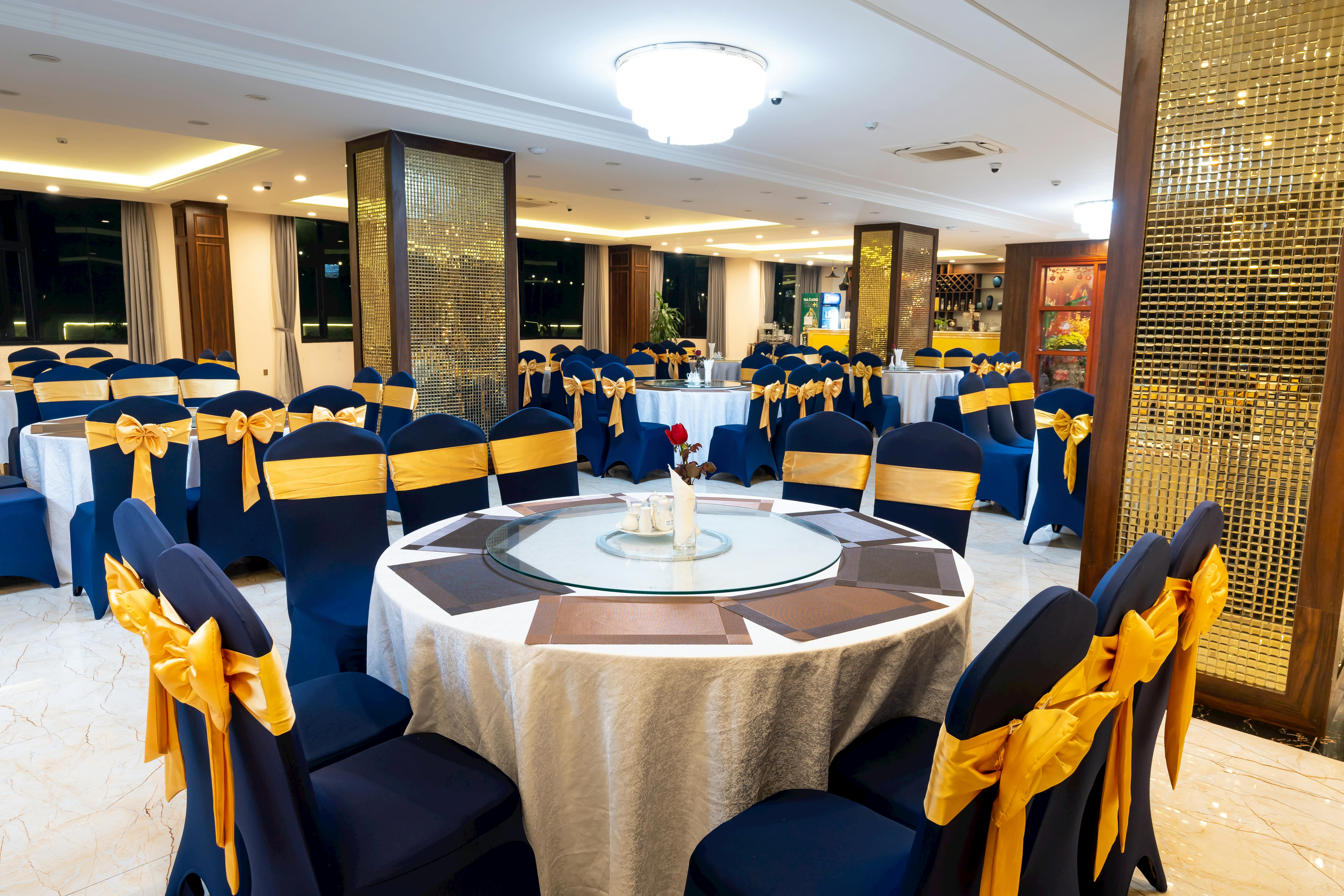
Phone tag and quote chaos
Corporate clients email for quotes. You call back, they're in a meeting. Orders come through last-minute. Planning is guesswork.
Back and forth
Client emails, you call back, they're busy. You email, they call when you're prepping. Orders get delayed or lost in the chaos.
Rush orders
"We need 30 sandwiches by noon tomorrow." Last-minute orders stress your kitchen and limit what you can deliver.
Spreadsheets and sticky notes
Orders in emails, confirmations in texts, details on paper. No single view of what's coming and when.
Catering is complex enough. Order management shouldn't be.
Self-service ordering for corporate clients
Clients browse your menu, select options, choose delivery dates, and pay—all without a phone call. You see orders come in with full details.
Flexible scheduling windows
Disable same-day orders entirely. Require bookings at least 3 days in advance and up to 3 weeks out. You decide the window—customers plan ahead, you prepare properly.
Corporate accounts
Repeat clients save their details and reorder quickly. You see their order history and can offer them tailored service.
Configurable platters
Set up platters with options—sandwich selections, dietary requirements, serving sizes. Customers configure, you prepare.
Paid upfront
Payments collected at booking. No chasing invoices, no cash on delivery. Secure the order when it's placed.
Built for the way catering actually books
Not a stripped-back order form. The details that turn a diary full of email threads into a clean week of confirmed, paid-for jobs.
Every booking confirmed in writing
Automatic email and SMS confirmations go out the moment an order is placed, with the order number and details. The client has it in writing and you stop fielding "did you get my order?" emails.
Bill for delivery and service automatically
Add a delivery fee, a service charge or a setup fee — fixed or percentage — applied automatically to the orders that qualify. The price the client sees already covers the cost of getting the food to the door.
Only the jobs worth the trip
Set a minimum order value, or add a small-order surcharge, so tiny one-tray bookings either clear your threshold or cover their own cost. Your kitchen and van go out for jobs that actually pay.
Allergens sorted for the whole room
Add allergen and dietary information to your items and turn on the allergens page. Clients ordering for a group can check what's in every platter up front — fewer last-minute "is this nut-free?" phone calls.
Reward the offices that reorder
Run automatic deals — a first-order discount to win a new client, free delivery over a set spend, a standing offer for your regular accounts. Set the rule once and it applies itself at checkout, no codes to remember.
Already on Square? Stay there
Online orders sync straight into your Square register with two-way status updates, and card payments run through your existing Square account. One till, one view of every job.
Looks like your catering business, not a template
Corporate clients judge you on first impression. Set your storefront up to look the part in minutes — no designer required.
- A clean, professional starting pointStart from the Modern Minimal design — one of six built-in storefront presets — then tweak it to match your brand.
- Your fonts, your coloursChoose from 14 curated font pairings and set your own brand colours, so the storefront matches your proposals and packaging.
- Your own web addressRun it on order.yourcatering.com, or our free subdomain. One link for your proposals, your email signature and your socials.
- Lay it out your wayShow platters and packages as cards or a list, pin the cart to a sidebar or a slide-out — so a full catering menu reads clearly and orders quickly.
Gather Catering
Order ahead • Corporate & events
Live in three simple steps
Get your restaurant online in under an hour. No technical skills required.
Build your menu
Add your dishes, set prices, upload photos. Our editor makes it easy to showcase your food beautifully.
Configure settings
Set your opening hours, delivery zones, and payment options. Customise everything to match your business.
Start selling
Share your ordering link and start receiving orders. Manage everything from your dashboard or mobile.
Built for catering operations
Advance scheduling, customer accounts, and order management designed for corporate and event catering.
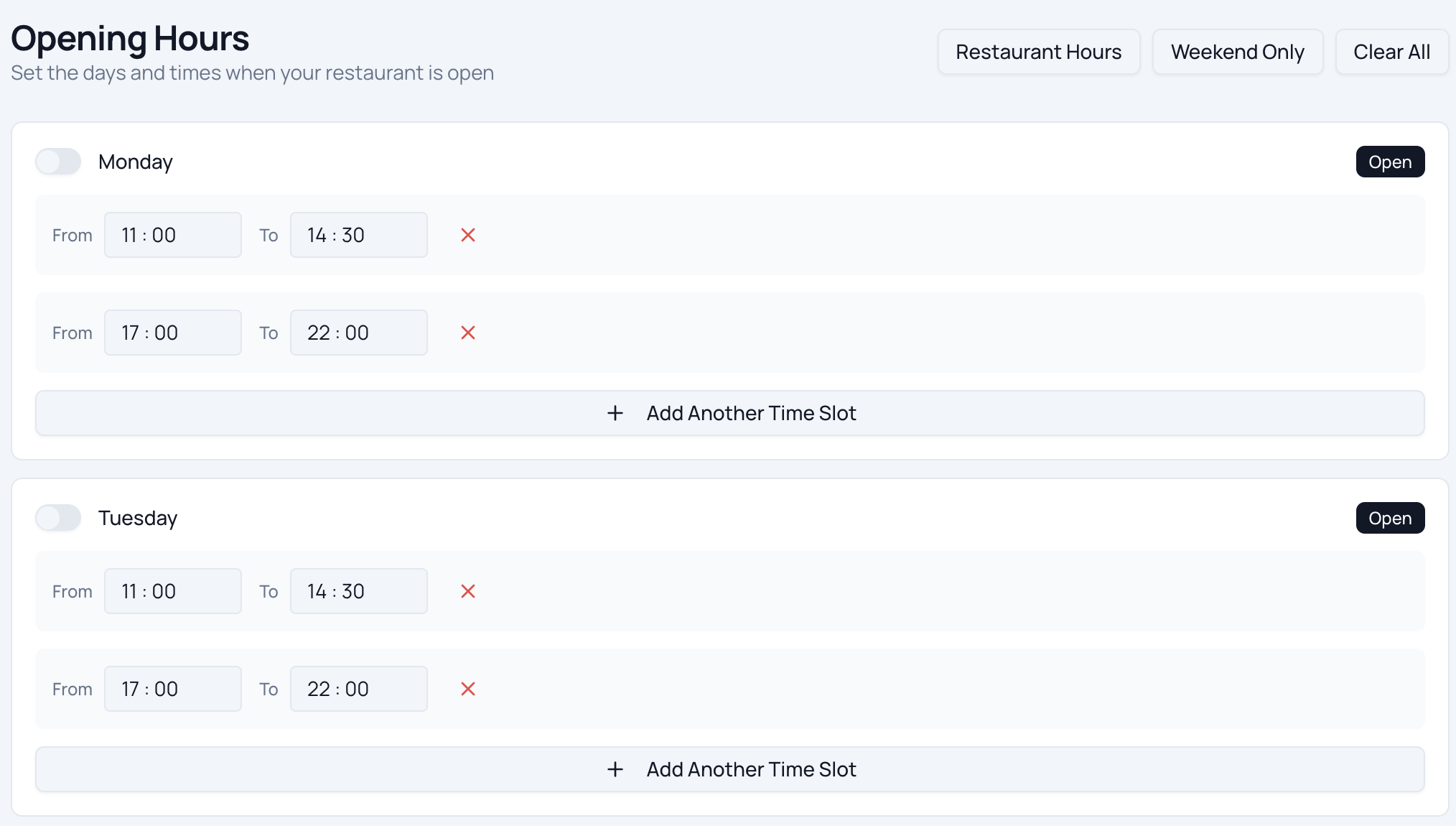
Smart Scheduling
Switch off same-day ordering and require bookings days or weeks ahead — up to 30 days out, with a minimum notice you choose. Every order lands with enough lead time to source, prep and deliver properly.
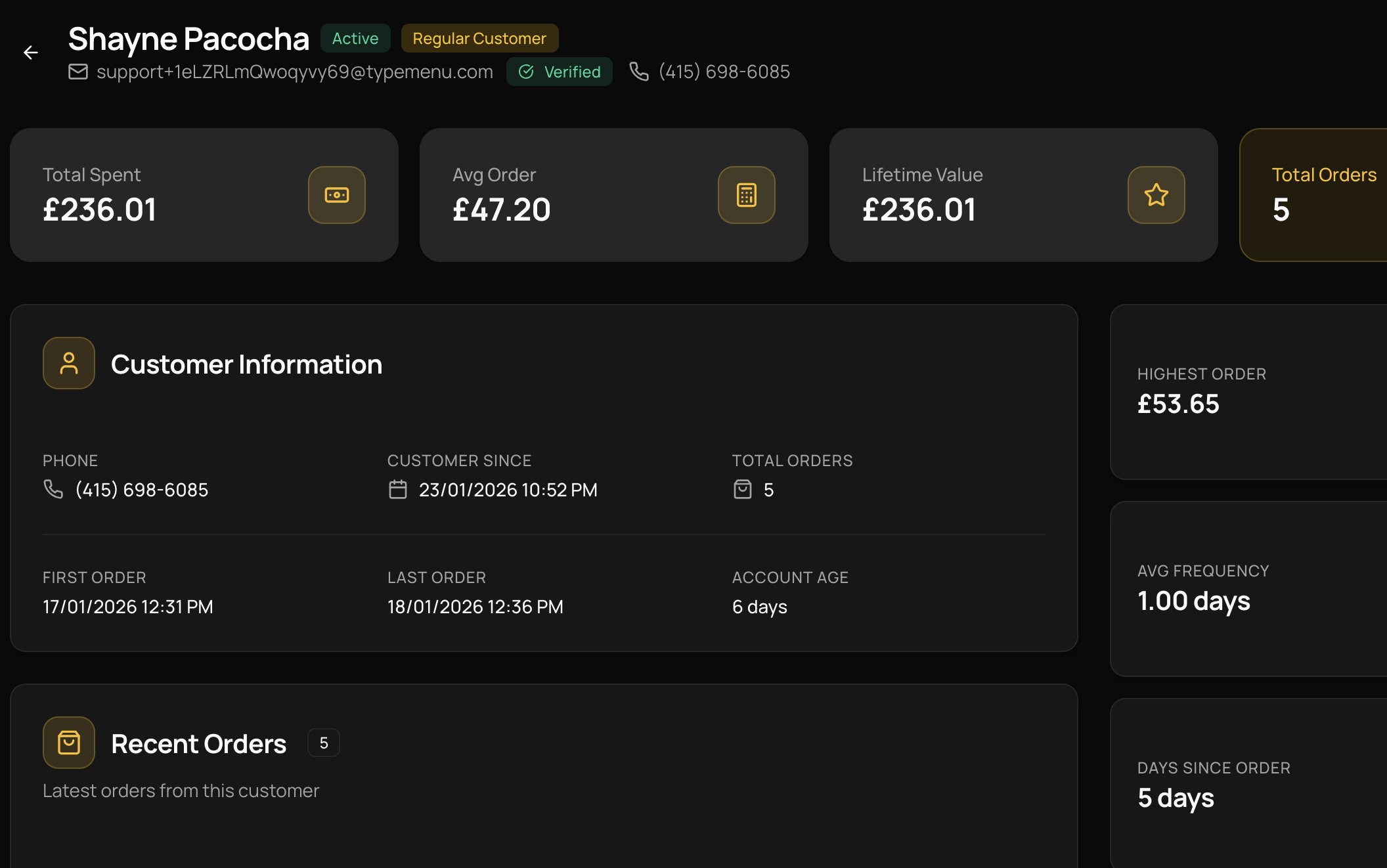
Customer Accounts
Repeat corporate clients register once, save their delivery details, and reorder last month's lunch in a couple of taps. You see their full order history and can give regulars the attention they expect.
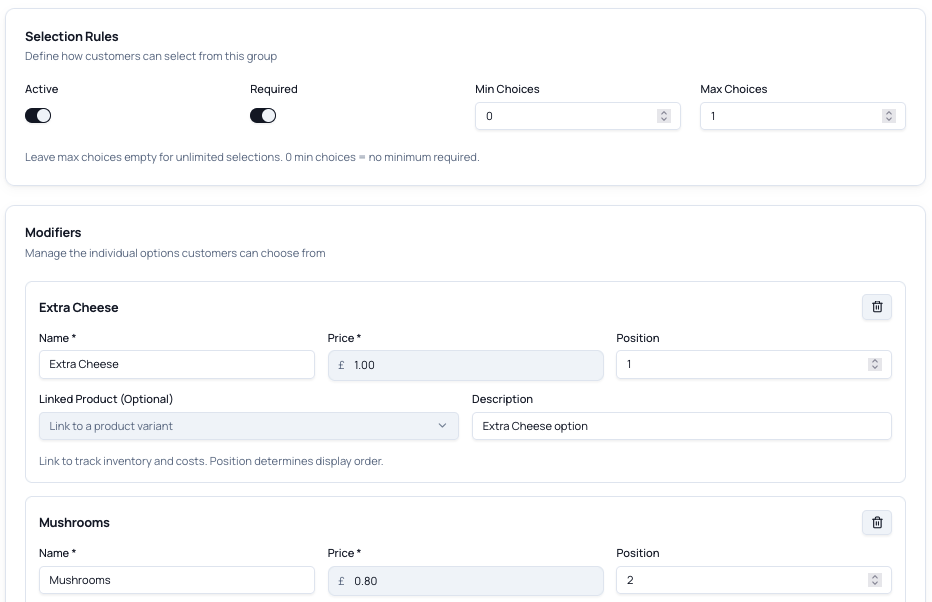
Modifiers & Variants
Build platters and packages from options — sandwich selections, dietary swaps, serving sizes, headcount. Customers configure exactly what they need and it arrives on your screen spelled out in full.
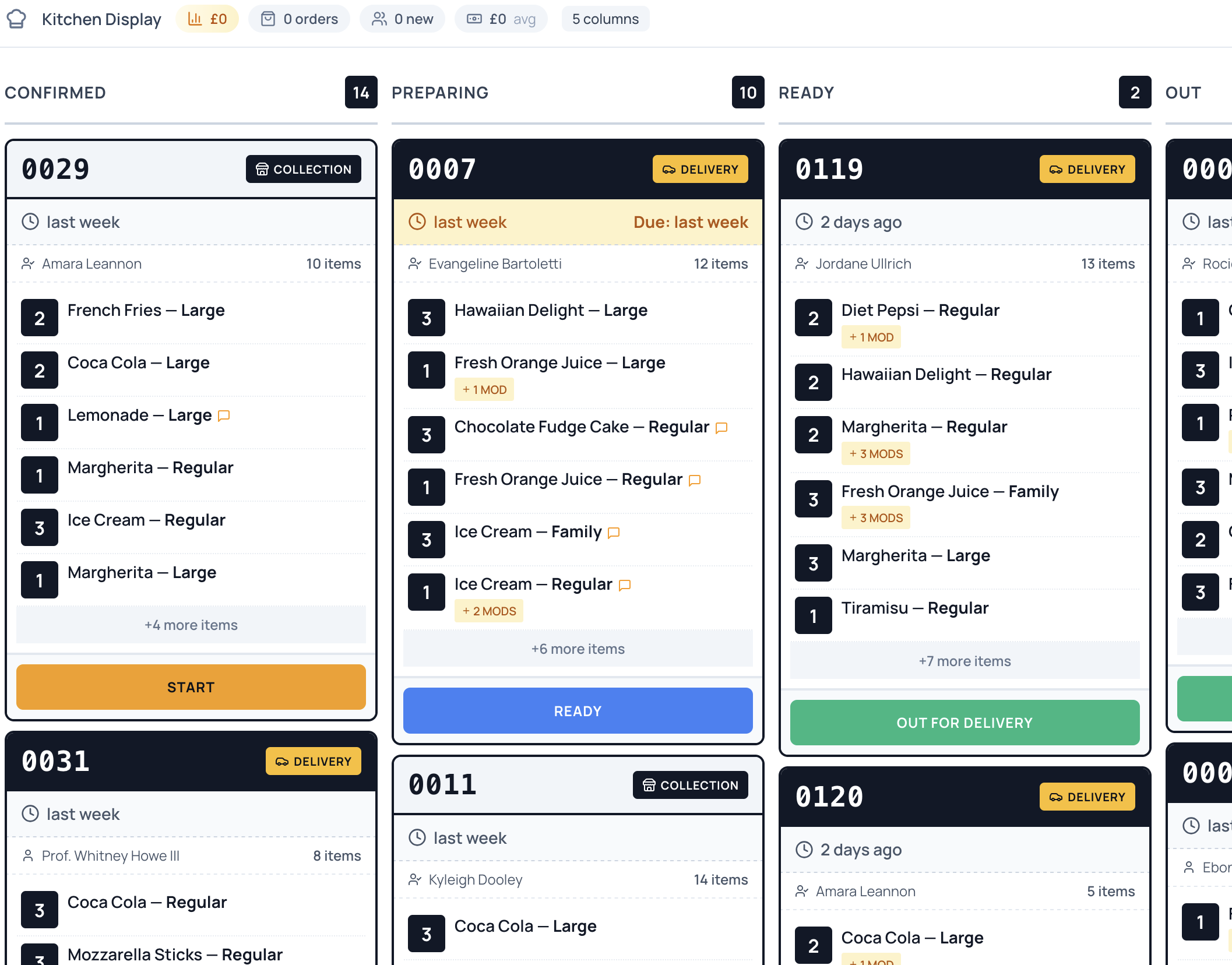
Order Management
Every booking lands on one screen, sorted by delivery date, so you can see the week ahead at a glance and plan prep instead of digging through emails and texts.
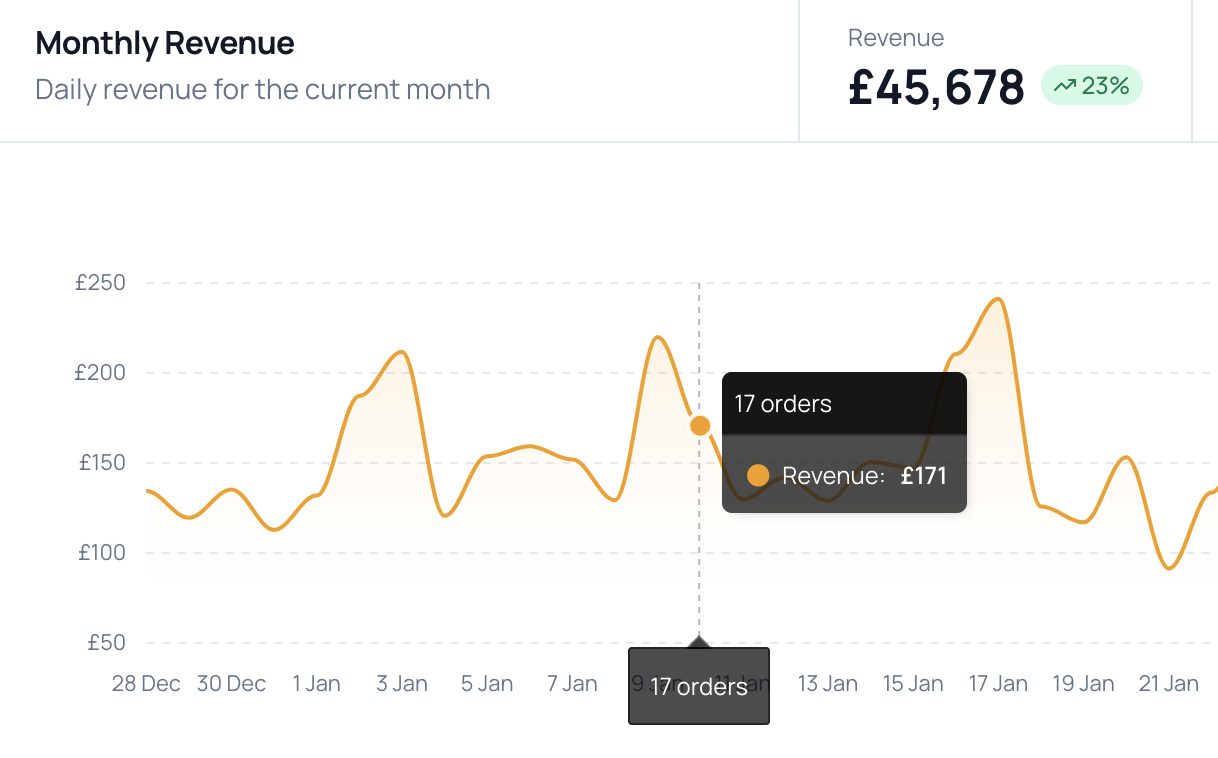
Payment Processing
Take card, Apple Pay and Google Pay through Stripe with zero commission — paid in full at the time of booking. No chasing invoices, no cash on delivery, and funds land straight in your account.
Ready to take control of your
online ordering?
Join restaurants saving thousands in commission fees. Set up your ordering platform in under an hour — no technical skills required.
Common questions
Can I make customers order days or weeks in advance?
Yes. Switch the storefront to scheduled-only so same-day orders are turned off entirely, then set a minimum notice — anything from the next day up to several days ahead — and how far out customers can book, up to 30 days. Every order arrives with the lead time you need to source, prep and deliver it properly.
Can customers configure platters and packages themselves?
Yes. Build platters and set menus from options — sandwich selections, dietary swaps, serving sizes, headcount. Add as many choice groups as you like, with per-option pricing, and the full configuration comes through on your order screen exactly as the customer built it.
How do repeat corporate clients reorder without starting from scratch?
Clients register once and their details are saved to a customer account. They can see their order history and reorder a previous lunch in a couple of taps, and you get a single view of every account — so looking after your regular offices takes no extra admin.
Do customers pay upfront, or do I have to invoice them?
Payment is collected in full at the time of booking through Stripe — card, Apple Pay and Google Pay — so the order is secured the moment it's placed. No chasing invoices and no cash on delivery, and the funds land straight in your own account.
Can I set a minimum order value or charge for delivery and service?
Yes. Add charges that apply automatically — a delivery fee, a service charge, a small-order surcharge — as a fixed amount or a percentage, with rules for when each one applies. You can also use a small-order surcharge to discourage bookings that aren't worth sending the van out for.
Can customers see allergen and dietary information for an event?
Yes. Add allergen details to your items and turn on the allergens page, and customers can check what's in each platter before they order for a room full of guests — useful when you're catering for a group with mixed dietary needs.
Are there any per-order commissions?
No. TypeMenu is a flat monthly subscription with zero commission on your orders. The only additional cost is standard card processing from your payment provider — Stripe is built in, or payments run through Square if you use Square POS — and those fees go to your provider, not to us.
Can I cancel at any time?
Yes. There are no contracts and no cancellation fees. You can cancel directly from your dashboard at any time, and your storefront stays active until the end of your billing period.
Still have questions?
Get in touch →