
Made to order, ready on time
Lunch rush without the queue.
Customers order their sandwich on the way to work. You prep it fresh. They grab and go. No waiting, no missed lunch breaks.
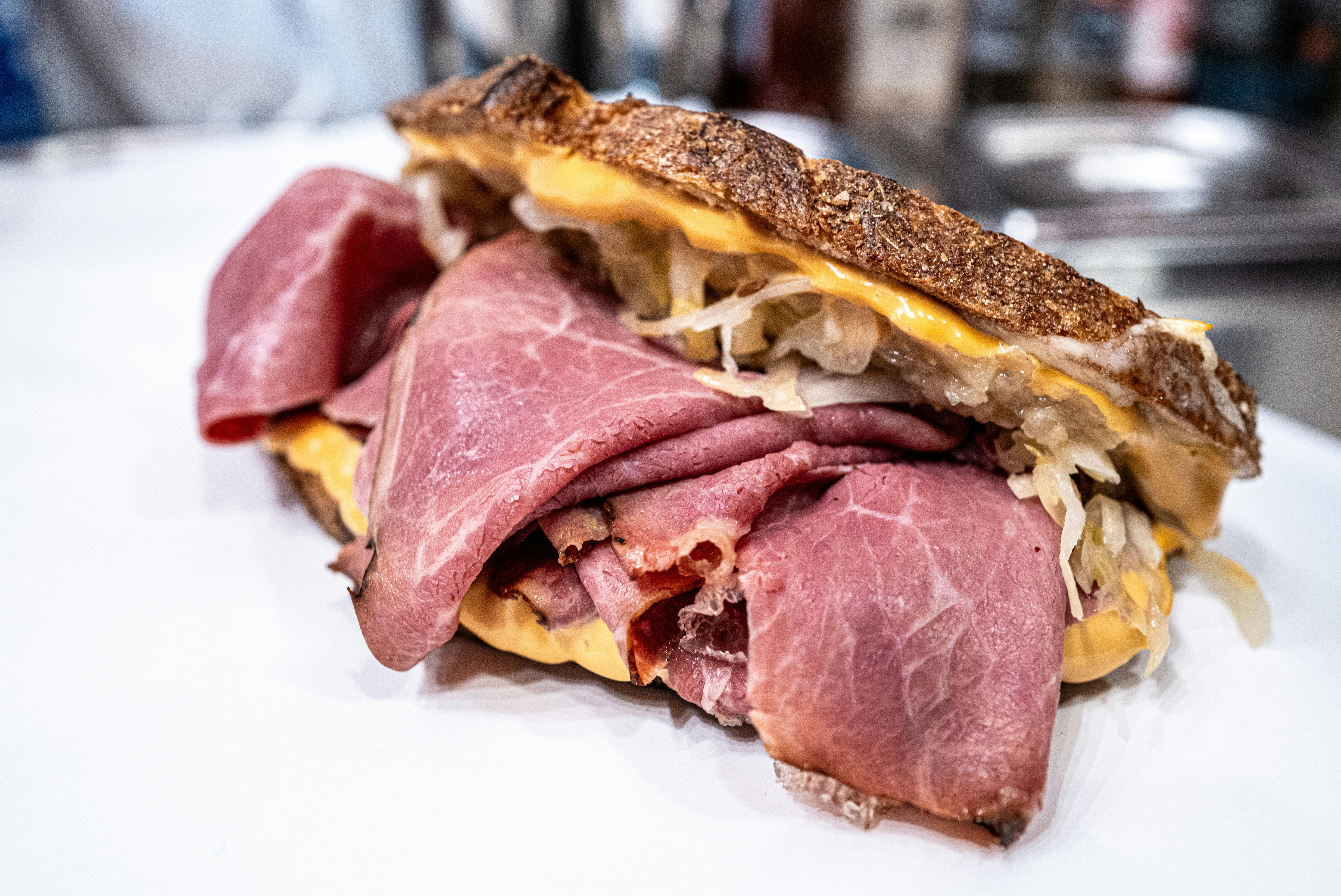
The lunch rush crunch
Between 12 and 1, everyone wants a sandwich at the same time. The queue builds, customers get impatient, and some walk away.
Queue too long
Office workers have 30 minutes for lunch. If your queue looks like 15 minutes, they go somewhere faster. Sales walk out the door.
Complex orders at the counter
Ciabatta not sourdough. Extra fillings. Hold the mustard. Every custom order slows the line down.
No customer data
You recognise their face, maybe remember their order. But you cannot email them or reward their loyalty.
Your lunch crowd is time-poor. Let them order ahead.
Pre-orders for the lunch rush
Customers order from their desk, customise exactly how they want, and collect when ready. You prep in advance, serve more people.
Timed collection
Customers choose when they will collect. Order at 9am for 12:30 collection. You see what is coming and prep accordingly.
Full customisation
Bread choices, fillings, extras, remove items. Customers configure exactly what they want online.
Customer accounts
Regulars save their favourites and reorder in seconds. You see their preferences and can reward loyalty.
Flat monthly fee
No commission on orders. Pay the same whether you take 20 pre-orders or 200. Simple, predictable pricing.
Built for the way a deli actually runs
Not a stripped-back order form. The details that keep a busy counter moving through the lunch rush — and quietly turn a one-off sandwich into a standing order.
Slots that beat the lunch rush
Customers pick a collection time in 15-minute slots, from a couple of hours out to 30 days ahead. Set lead and prep times and cap how many orders land per slot — so the 12–1 crush spreads into a steady flow, not forty tickets at once.
Build it exactly how they like it
Add as many modifiers as you like to any item: bread, fillings, extras, salads, sauces — with required or optional choices, per-option pricing and a free-text note for "hold the mayo". Every sandwich comes through right first time.
Sell the special out once
Put stock counts on today's special or a fresh batch of platters. When they're gone they drop off your storefront automatically — so you never take an order for a soup you've already run out of at half twelve.
"Your lunch is ready" by text
Automatic email and SMS confirmations when an order's placed, and again when it's ready to collect. Customers time their walk over for when it's done — no one hovering at the counter on a tight lunch break.
Lunch bundles and loyalty, on autopilot
Run automatic deals: a sandwich-crisps-drink lunch bundle, a free coffee on every fifth order, a first-order discount. Set the rules once and they apply themselves at checkout, with no codes to remember.
Already on Square? Stay there
Online orders sync straight into your Square register with two-way status updates, and card payments run through your existing Square account. One till, one view of every order.
Looks like your deli, not a template
Your storefront should feel like walking up to your counter. Set it up to match in minutes — no designer required.
- A theme made for counters — start from the Neighbourhood Cafe design, one of six built-in storefront presets, then tweak it to taste.
- Your fonts, your colours — choose from 14 curated font pairings and set your own brand colours — so the storefront matches your shopfront and packaging.
- Your own web address — run it on order.yourdeli.com, or our free subdomain. Customers see your deli — never a marketplace.
- Lay it out your way — show products as cards or a list, pin the cart to a sidebar or a slide-out — so the menu reads the way your deli feels.
The Deli Counter
Order ahead • Collection
Live in three simple steps
Get your restaurant online in under an hour. No technical skills required.
Build your menu
Add your dishes, set prices, upload photos. Our editor makes it easy to showcase your food beautifully.
Configure settings
Set your opening hours, delivery zones, and payment options. Customise everything to match your business.
Start selling
Share your ordering link and start receiving orders. Manage everything from your dashboard or mobile.
Built for deli operations
Timed collections, sandwich customisation, and customer accounts for busy lunch service.
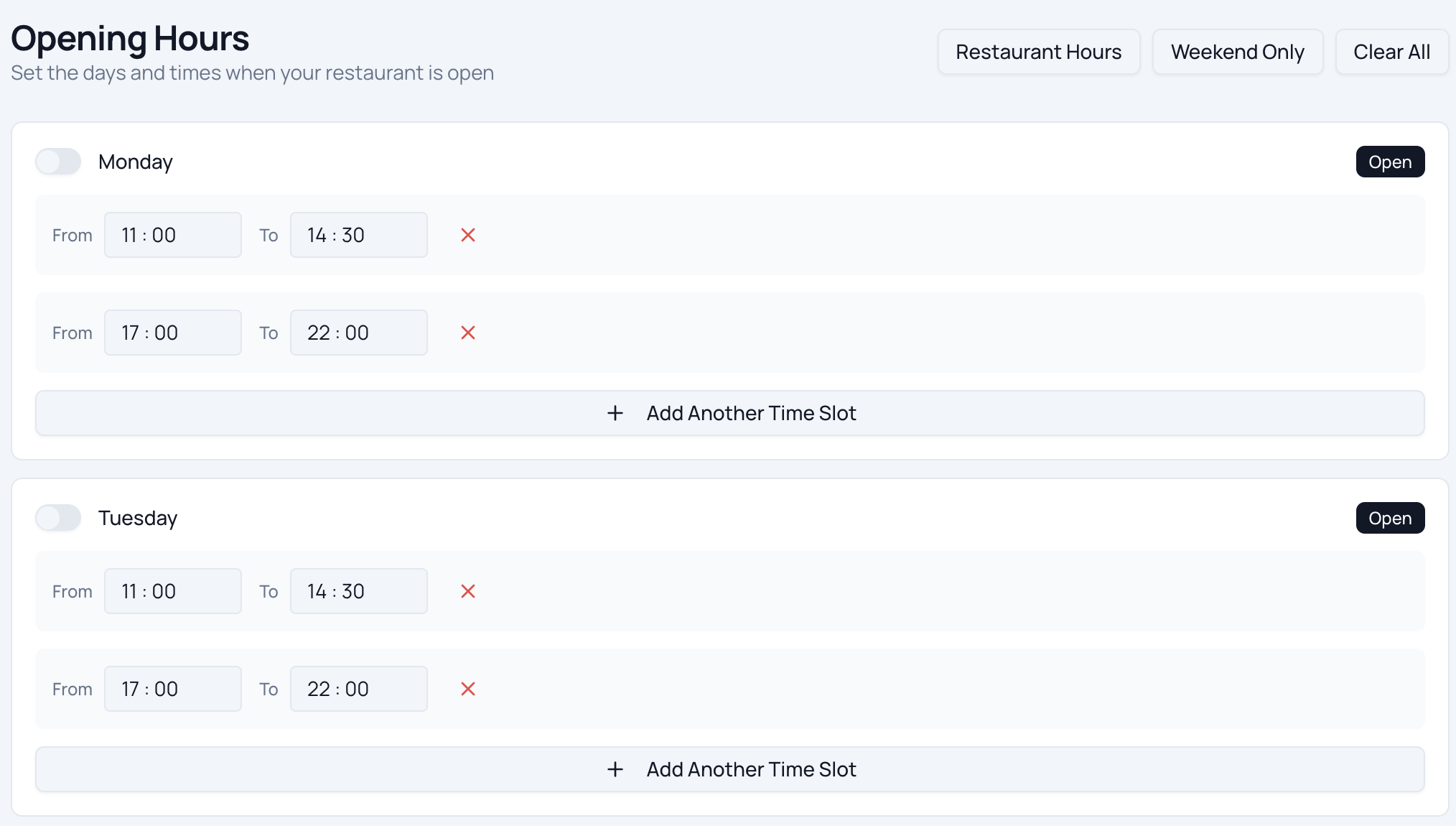
Smart Scheduling
Let customers order from their desk and pick a collection time. Set prep and lead times so orders stagger across 15-minute slots — your counter is never hit with the whole 12–1 rush at once.
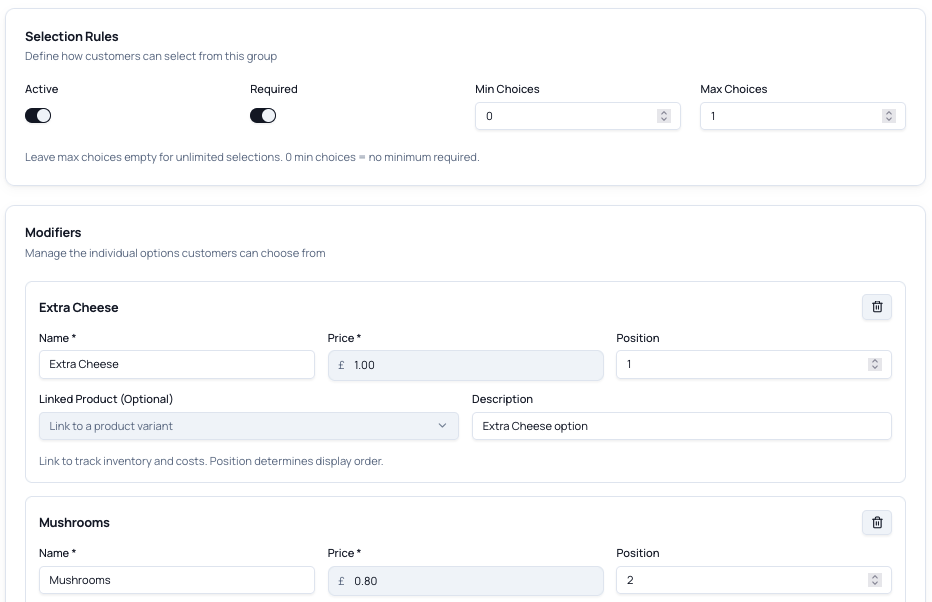
Modifiers & Variants
Bread, fillings, extras, salads, sauces, hold-this — let customers build their exact sandwich or platter online, with a free-text note for anything unusual, so it's right first time with no back-and-forth.
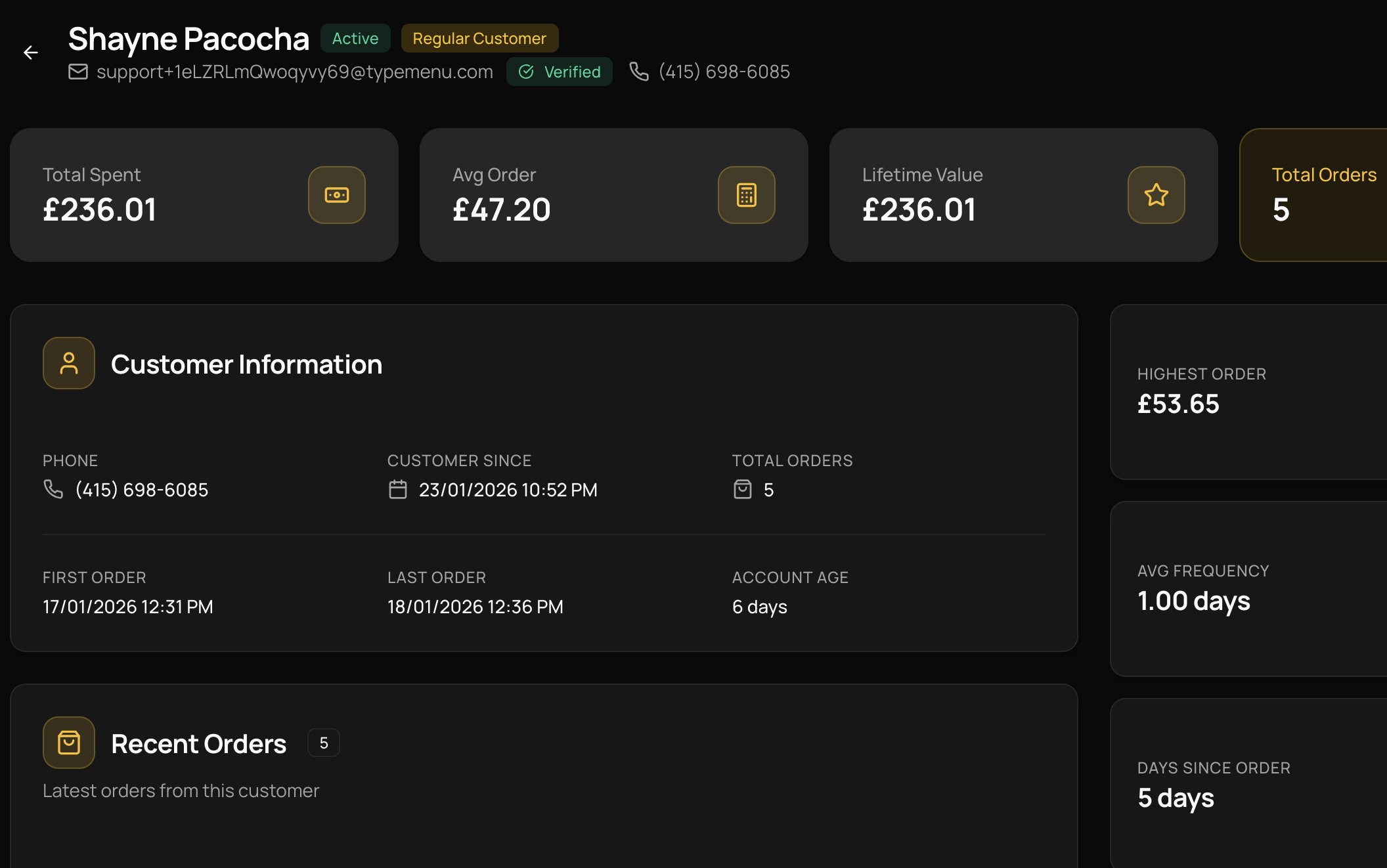
Customer Accounts
Your lunchtime regulars register once, save their usual, and reorder in two taps. You finally know who they are — and can reward their loyalty instead of just recognising their face.
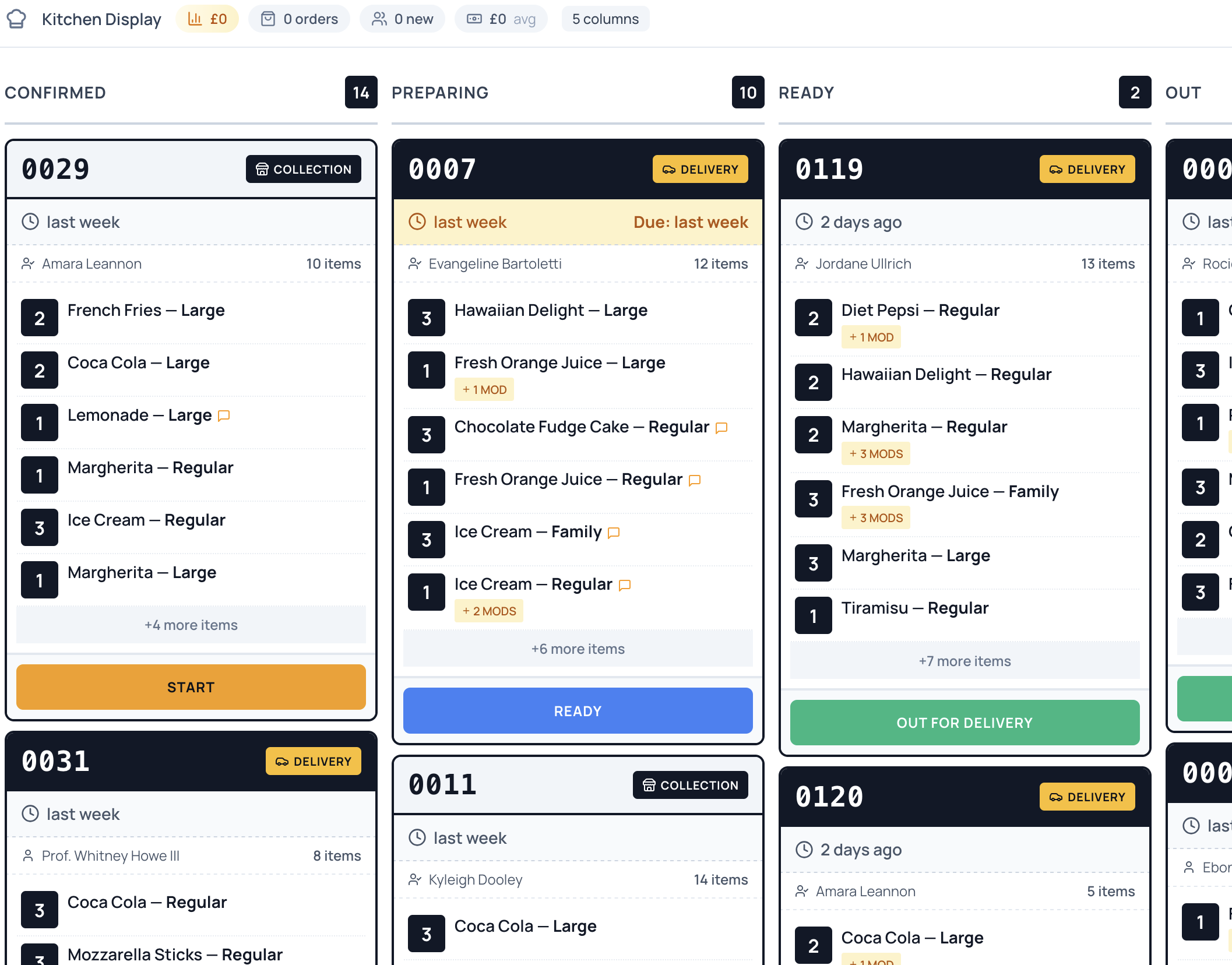
Order Management
Every pre-order lands on one screen, sorted by collection time. Make the 12:30 BLT at 12:25 — not when the customer reaches the counter on a tight lunch break.
Ready to take control of your
online ordering?
Join restaurants saving thousands in commission fees. Set up your ordering platform in under an hour — no technical skills required.
Common questions
Can I stagger collection times so orders don't all hit at noon?
Yes. Customers choose a collection time in 15-minute slots, and you set prep and lead times plus a cap on how many orders you accept per slot. That spreads the 12–1 lunch rush into a steady flow your counter can keep up with, rather than thirty sandwiches due at 12:30.
Can customers fully customise their sandwich or platter?
Yes. Add as many modifiers as you like to any item — bread, fillings, extras, salads and sauces — with required or optional choices and per-option pricing, plus a free-text box for special instructions like 'hold the mustard'. The order comes through exactly as the customer built it, so there's no guessing at the counter.
How does ordering ahead help my customers beat the queue?
Customers order from their desk or on the walk over and pick a collection time. You prep against the slots as they come in, and an automatic text lets them know when it's ready — so they walk straight up to a made order instead of joining the back of the lunch queue.
Can I list allergens and ingredients on items?
Yes. Add descriptions and notes to every item and modifier so customers can see what's in each sandwich before they order. Combined with required modifier choices, that makes it easy for people to order around what they can and can't eat.
What happens when I sell out of the day's special?
Set a stock count on it and the item stops being orderable once it's gone, dropping off your storefront automatically. You never take an order for a soup or special you've already run out of, and customers only ever see what's actually available.
Are there any per-order commissions?
No. TypeMenu charges a flat monthly subscription with zero commission on your orders. The only additional cost is standard card processing fees from your payment provider — Stripe is built in with simple onboarding, and if you use Square POS, payments go through Square instead.
Do I need any special hardware?
No. Everything runs in the browser — your dashboard, your order screen, and your customers' storefront. Any phone, tablet, or computer you already have on the counter will work.
Can I cancel at any time?
Yes. There are no contracts and no cancellation fees. You can cancel directly from your dashboard at any time, and your storefront stays active until the end of your billing period.
Still have questions?
Get in touch →